January 20th, 2026
What’s new:
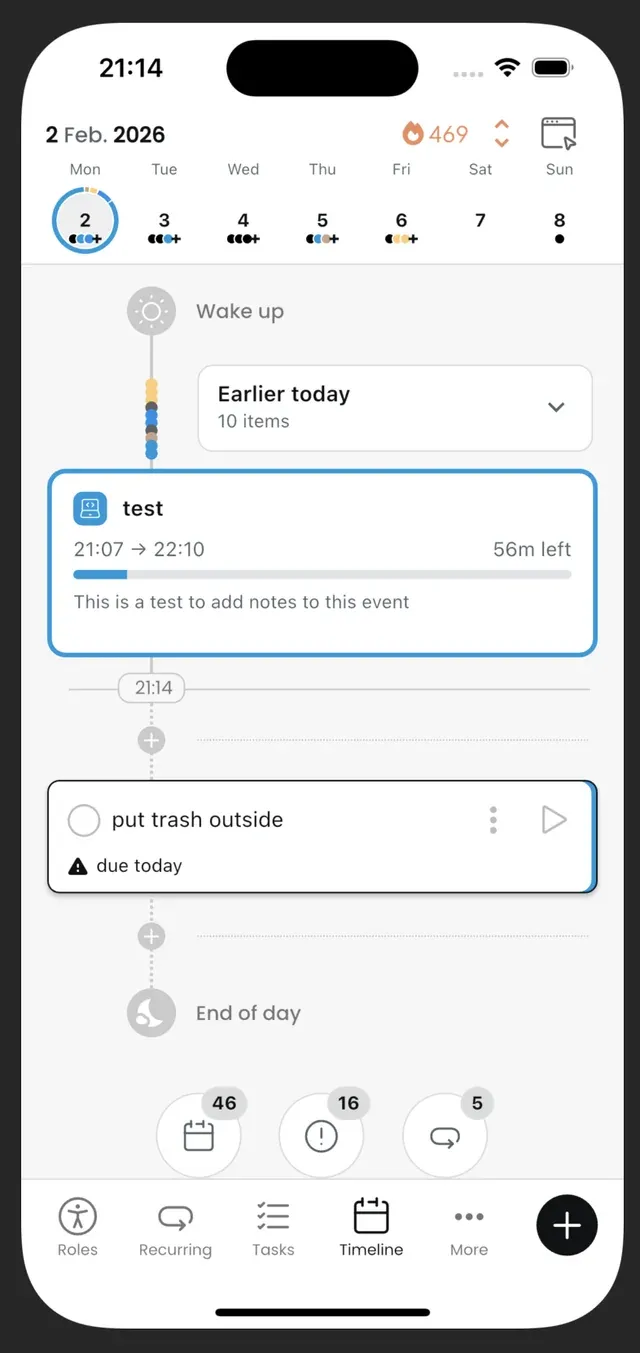
Swipe between days in the Planner timeline (with caching for smoother navigation).
Powerful Task filters and stacked sorting to help you find what matters fast.
Save filter setups as presets and pin them for quick access.
+ Fixes & improvements
January 13th, 2026
New
Google sign-in and Apple sign-in (iOS).
Planner “Quick Panels” overlay.
Archived recurring items screen with unarchive.
Improvements
Recurring timeline reliability: fewer duplicates; better placement and handling of skipped/completed items.
Preferences sync improvements (including Stats toggle consistency).
Sync stability improvements across web and account switching/logout.
Cleaner recurring settings UI.
Fixes
Completion dialog opens correctly after stopping a timer.
Customize Settings screen can scroll properly.
November 20th, 2025
Everything will be now synced in the background. This means that when you open the app, you will more often see up-to-date data directly (if you used the app on other devices or on the web) - no more waiting for a few seconds. This of course depends as well on how android and iphones manage background processes.
New features:
You can now delete specific recurring time-blocks on specific days. E.g. you have a time-block every day of the week, but today you don’t need it? You can delete just that time-block for today.
Added auto mode for dark mode
Added a toggle in the “Customize the app” settings to have the option to show less “+” lines in the timeline, to make it more compact
Added a dialog when completing recurring items or tasks from a previous day
Added a dialog that reminds the user they have been tracking something
Bug Fixes
Improve the drag and drop operations in the timeline - this should result in a better user experience and less/no flickering/things jumping around
Fixed the recalculation of XP gained when editing a tracked task
Fixed some styling of buttons and checkboxes in dark mode
Fixed names of steps not showing up correctly
Fixed certain recurring items not appearing in the timeline when they are supposed to Weekly recurring items not showing up on the timeline
October 23rd, 2025
You will now be able to see your recurring items in the timeline and directly interact with them!
Due precise items will show up directly on the timeline
Flexible items that haven't reached their target goal will show up in a panel at the bottom of the timeline
And you can of course schedule on-demand items and see them on your timeline!
More importantly: you can also time track and keep track of your progress/step completion of your recurring items! 🥳
An additional change : you will now see your overdue and past planned tasks at the bottom of the timeline. So you can make sure you don’t forget about them!
September 19th, 2025

Update 0.5 is a huge update as you can now create 3 types of recurring items:
precise: e.g. every 3rd Friday of the month, every monday and tuesday, every 5th January…
flexible: at least 2 times a week, at least 3 times a month, at least once a year…
on-demand: these are basically saved routines/habits you can complete anytime you want! For example, workouts, recipes, Standards of Procedure (SOPs), etc.
⚠️ These will not yet appear on the timeline. I am working on this now and this will be part of the next update.
This update also includes several bug fixes and improvements and a new modal to create and edit new tasks faster. I also updated the level up notifications. Let me know what you think of it! (write to me on X or on instagram). This new design is also going to be applied to other parts of.
Next priorities:
Gather feedback from users on the recurring items
Implement recurring items in the timeline
Fix bugs and continue improving the app.
Then I will work on: the calendar integration (vote here) and google/apple login
May 10th, 2025

New UI/UX for the timeline
The timeline now shows the current time
Time-blocks
New UI
You can now add time-blocks to a single day
You can now add tasks directly to a time-block
Click on the title of a time-block to edit it
Improved stats page
Settings: switch between showing XP gained or time tracked
Updated the tooltips and info shown on the graphs
Added a new graph to show a breakdown by activity/tasks
Lots of improvements behind the scenes
Time-Block related bugs
March 21st, 2025
Web version is live! app.orakemu.com
Users can now create/edit tasks’ life role and project assignment
The project name now appears in task tiles in the timeline
When creating a task, the focus is now automatically on the task title
Project name and time tracked now appear in the task details popup
Completion date also shows up in the task details pop up
Users can now access the tasks’ details from a tracked timeline event
Users can now edit the life roles of activities
It is now possible to undo tasks from the timeline
I made the onboarding shorter
Many small improvements and bug fixes
Task filters
Recurring tasks/routines/habits
Google calendar integration
March 11th, 2025
New
Improved
Fixed
Drag and drop: drag and drop tasks and sections around on the timeline
Day sections/recurring timeblocks: create recurring timeblocks
Password reset
Easier way to set start and end times
Added streaks
More comprehensive onboarding tutorial
Editing username
Username not being correctly saved
Not being able to create projects
App icon being black on android
Opening the app locking android phones
I removed the gaming language and replaced mission/quests by tasks/projects
Fixed bugs during the onboarding
January 11th, 2025
Improved
Fixed
Thank you for all your feedback since the release of the app. Here are the changes in this release:
Change the “Home” menu to “Roles” and changed the icon.
Renaming Missions to Tasks/Todos and Quests to Projects: Improved terminology aligning with standard task management conventions.
Task search: You can now search through the tasks on the “Tasks” page.
Scheduling Adjustments: Removed the ability to set a time when scheduling tasks, simplifying the process.
Improved Task Tracking: Resolved inconsistencies when marking tasks as done and addressed issues linked to selecting different calendar days for tracking.
Username Handling Updates: Fixed the issue where usernames weren't correctly saved. Introduced the ability to edit usernames.
App icon on android is no longer black
Opening the app on android no longer triggers the lock screen
Ensured users land on the appropriate onboarding flow during setup.
Fixed Bug with Project creation: it is now possible to create projects.
Fixed errors encountered when attempting to track tasks.
I aim to continually enhance your experience and welcome your feedback to guide future updates.